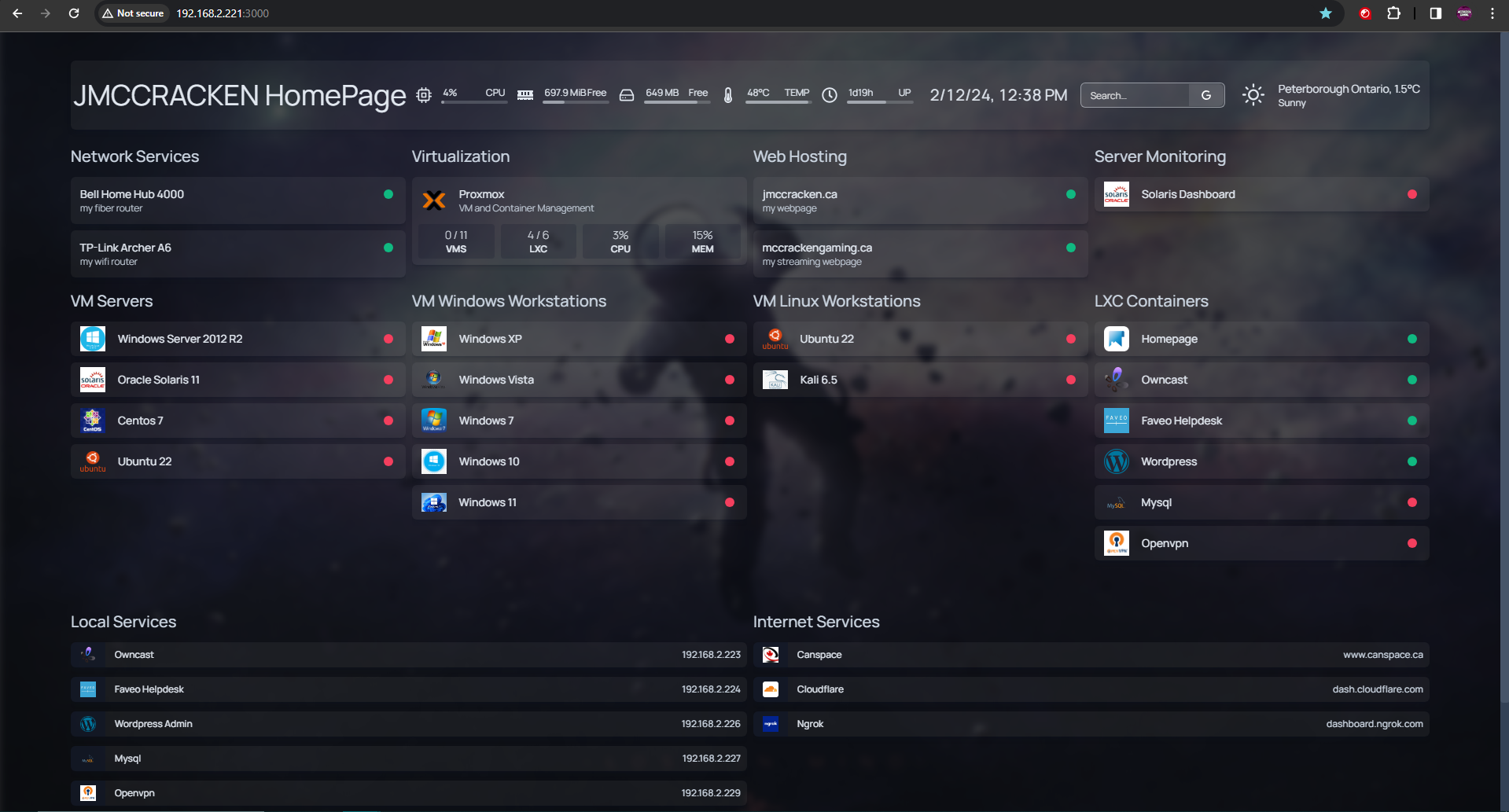
Over the last week or two I’ve spent a lot of free time setting up my old Dell Latitude e5550 laptop from university as a Proxmox server to host a variety of VMs of different OS installs knowing the future enshittification of VMware following their purchase by Broadcom is likely to push IT professionals to alternative virtualization host systems.
I of course started with the usual VM creations from ISO for Windows versions XP to 11 excluding 2000 as well as a 2012 R2 server, followed by some Linux distros with ubuntu and Kali desktop as well as Ubuntu headless, Centos, and Solaris.

I then started playing with Windows server and setup an active directory domain and spent some time adding all the Windows VMs to the domain, follows by an about 3 hour struggle adding Ubuntu desktop to the domain as there is a bug in SSSD that causes a crash when it tries to apply GPO rules that do not apply to Linux, the only fix I found was to edit the config to ignore incompatible GPO rules.

I then discussed my setup with a friend at work who also uses Proxmox at home and they directed me to (Proxmox helper scripts) https://tteck.github.io/Proxmox/ where you can find a repository of a variety of LXC Container templated with install and configuration info. I of course then had to play with these and that is when my home lab blew up.

To start I added an LXC container for Homepage to use as a homelab homepage. I customized it’s look using the documentation linked from the Proxmox helper scripts and soon had a page where I could at a glance see what hosts and services were running, as well as Proxmox resource usage without needing to enter Proxmox. Additionally I added links to the status buttons that send me directly to each Proxmox VM/container console page directly.

Once satisfied with my Homepage I wanted to try an open source out of the box rtmp streaming website called Owncast so I spun up an LXC container. I am going to be honest and say that I spent way too much time fiddling with this in order to improve performance but at the end of the day I am CPU and bandwidth limited and without upgrading to a beefier machine I am able to host a stable stream with a variety of quality options from 720p60fps to 360p30fps testing to 5 viewers without issue.

This is where I stopped for a while as I had added all I wanted from Proxmox helper scripts but in the past weekend I found the commands to use in Proxmox command line to update (pveam update) and list (pveam available) the available online container templates which included a long list of turnkey Linux containers for other interesting services.
After finding this out I moved onto Faveo Helpdesk. As my day job is as an I.T. Helpdesk tech for the most part I of course would love to have my own ticketing system solution at home so I spun up an LXC container. The main page isn’t much to look at and kind of reminds me of a scam helpdesk page used to steal money from the computer illiterate and gullible but I will likely find ways to edit it (there aren’t may customization options in the admin panel itself, but I found some guides online to edit the logo link href and client colours so it must be possible). Separate from that it looks to have all of the basic functionality you would want out of a self hosted ticketing system including easy to setup email retrieval for ticket creation. The one issue I ran into is that it gave an error when trying to add new users in the admin console.

As I was getting bored playing with Faveo I decided it would be a good idea to play with WordPress, as it’s one of the most popular web hosting/building platforms there is, even using it minimally in a past job. And so I spun up an LXC container of WordPress. This leads us to this site and this post as this is the wordpress site I spun up and that I’m hosting this post on now. I did take some time fiddling with customization but not nearly as much as Owncast, though I imagine if I keep up posting that may change.

As another simple little container I spun up Mysql, not much to say, mostly just because I could and I’ve used them a lot in work before.
finally I spun up and Openvpn LXC container. This container has given me the most problems, and it’s honestly probably simply because I don’t know what I’m doing, but I’ve been unable to connect to it yet even though I can confirm the service is running, create a profile, and add the profile to my phone or pc but again have been unable to connect as of yet. This will likely take me a while longer to figure out what I’m doing wrong but I’ll get there.
Of course after being done with this I once again updated my Homepage to include all the new services as well as my internet services for DNS and Ngrok which I use to tunnel to my websites as I cannot get a static ip on my fiber connection and a static ip would cost more and provide less bandwidth so I figured this was the best option.

Anyway if you read this to the end thanks for your time and have a good day.